

 Tiếng Việt

Google Translate English is a useful tool for language learners who want to understand unfamiliar words, translate sentences, and communicate across languages. With features such as text translation, image translation, voice input, and conversation mode, Google Translate can support users in their studies, work, and everyday communication.
However, getting a natural and accurate translation requires more than simply copying the results. You need to understand how to enter text, choose the right translation feature, and review the output carefully. Relying entirely on machine translation without understanding the original sentence may lead to incorrect word choices or unnatural expressions.
In this guide, you will learn how to use Google Translate English, explore its most useful features, discover practical ways to improve translation accuracy, and practice your skills with exercises and answers.
What Is Google Translate English?
Google Translate English refers to using Google Translate to translate English and other supported languages. Developed by Google, this online translation service helps users convert words, sentences, and longer passages from one language into another.
You can access Google Translate through a web browser or its mobile app. Depending on your device and the features available, you can translate individual words, complete sentences, conversations, text in images, and spoken language.
Google Translate uses artificial intelligence and machine translation technology to analyze text and generate translations. It can handle many everyday communication needs, although the quality of the results depends on the context, wording, and complexity of the original content.
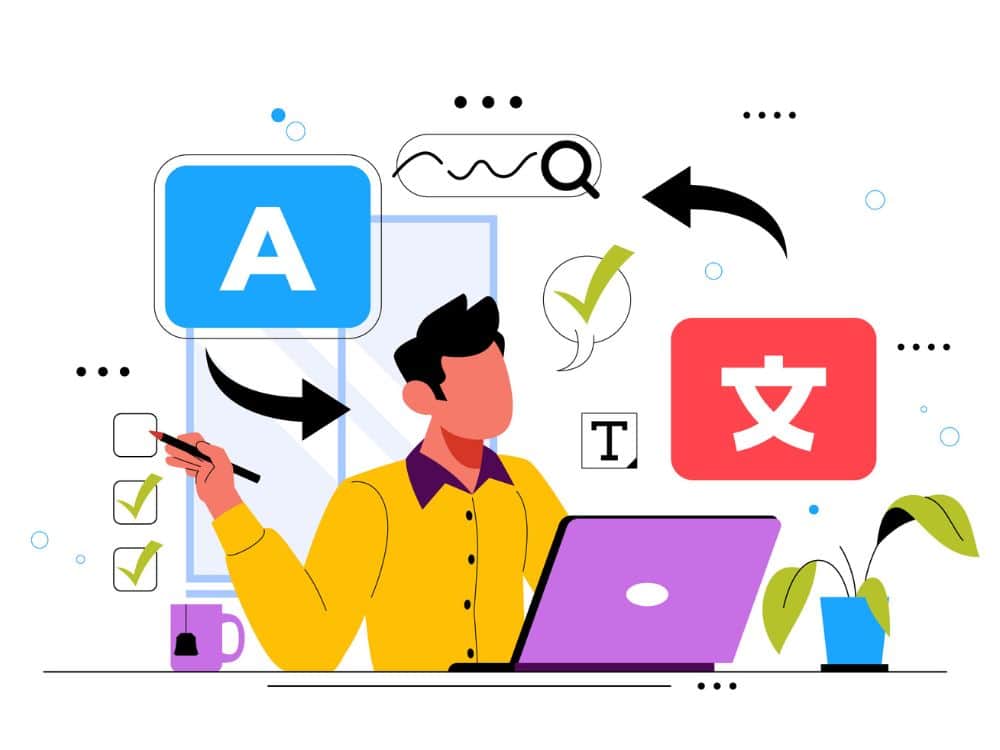
Benefits of Using Google Translate
Google Translate offers several practical benefits:
- Quick translation: Translate words, sentences, and paragraphs without looking up every word individually.
- Language learning support: Explore word meanings, spelling, pronunciation, and sentence patterns.
- Easier communication: Understand messages, emails, and conversations in other languages.
- Time savings: Read foreign-language documents, instructions, and online information more efficiently.
- Convenient access: Use the service on computers, tablets, and smartphones.
Despite these advantages, Google Translate should be treated as a supporting tool rather than a replacement for language knowledge. For professional emails, specialized documents, or important communications, always review the grammar, meaning, and tone before using the translated text.
How to Use Google Translate English to Vietnamese
One of the most common uses of Google Translate is translating text between English and Vietnamese. You can complete this process in just a few simple steps.
Translate Words and Sentences on a Computer
To translate English into Vietnamese on your computer, follow these steps:
- Open Google Translate in your web browser.
- Select English as the source language and Vietnamese as the target language. You can also use automatic language detection when appropriate.
- Enter the word, sentence, or paragraph you want to translate.
- Read the translated result and check whether it matches the original context.
- Copy the translation if you need to use it elsewhere.
For example, when you enter the sentence “I have been learning English for five years,” Google Translate may provide the Vietnamese translation “Tôi đã học tiếng Anh được năm năm.”
If you want to understand the sentence more deeply, pay attention to the structure have been learning. This is the present perfect continuous tense, commonly used to describe an activity that started in the past and continues into the present.
Use Google Translate on a Mobile Phone
You can use the Google Translate app or access the service through a mobile browser.
The basic process is similar to using a computer: select the languages, enter the text, and review the translation. Depending on your device and app version, additional features may include voice input, camera translation, and offline translation for downloaded languages.
To make your language learning more effective, save useful vocabulary, expressions, and example sentences instead of simply reading the translation once and moving on.
How to Use Google Translate for English Images
Google Translate image translation allows you to understand text in pictures without typing every word manually. This feature is especially useful for translating menus, signs, printed documents, books, and instructions written in English.
Translate Text Directly with Your Camera
To translate text using your phone’s camera, follow these general steps:
- Open the Google Translate app.
- Select English as the source language and Vietnamese as the target language.
- Choose the camera feature if it is available on your device.
- Point your camera at the text you want to translate.
- Review the recognized text and its translation on the screen.
For better results, keep your phone steady, ensure adequate lighting, and position the camera so the text is easy to read. Small fonts, blurry images, and complicated layouts may cause recognition errors.
Translate Text from an Existing Image
If you have already taken a picture or saved an image on your phone, select it from your gallery when using a supported image translation feature.
After the system recognizes the text, you may be able to select specific sections for translation. Depending on the app version, options for copying or selecting text may vary.
Google Lens is another useful option for translating English text in images. It can help you read documents, signs, and other visual content directly from your phone.
Note: Image translation may not preserve the original layout or meaning perfectly. For important documents, compare the translated text with the original before relying on it.
How to Use Google Translate English Voice Translation
If you do not want to type every sentence, you can use voice translation. This feature is convenient for pronunciation practice, quick translations, and communication with people who speak other languages.
Translate English Speech into Vietnamese
The general steps are as follows:
- Open Google Translate on your phone.
- Select the source and target languages.
- Tap the microphone icon if voice input is available.
- Clearly speak the English sentence you want to translate.
- Read the recognized text and listen to the pronunciation if audio playback is available.
For example, when you say “Could you tell me how to get to the airport?”, the tool may recognize the speech and translate it into Vietnamese as “Bạn có thể chỉ cho tôi đường đến sân bay không?”
To improve speech recognition, speak at a moderate pace, pronounce words clearly, and minimize background noise. If the result seems incorrect, check the recognized text before using the translation.
Use Conversation Mode
Conversation mode helps users communicate across two languages during a discussion. Depending on the app version and device, the interface may allow each person to speak in their own language while the system recognizes and translates the conversation.
This feature can be useful when traveling, asking for directions, ordering food, or exchanging simple information.
However, for complex conversations, use short sentences, express your ideas clearly, and confirm important details to avoid misunderstandings.
Tips for More Accurate English Translations
Machine translation can save time, but the results do not always reflect how a native speaker would naturally express an idea. The following tips can help you use Google Translate more effectively.
Write Complete and Clear Sentences
When entering Vietnamese text for translation into English, try to write complete sentences with a clear subject, verb, and meaning.
For example, instead of entering “meeting tomorrow, send report,” write: “We have a meeting tomorrow, so please send the report before the meeting.”
A complete sentence gives the translation system more context and helps it identify the relationships between ideas.
Avoid Slang and Ambiguous Expressions
Vietnamese contains many idioms, slang expressions, and figurative phrases. Translating them word for word may produce a result that does not reflect the intended meaning.
For example, “It’s raining cats and dogs” does not mean that cats and dogs are falling from the sky. It is an English idiom meaning that it is raining very heavily. A natural Vietnamese translation would be “Trời đang mưa như trút nước.”
When you encounter an unfamiliar idiom or expression, look up its meaning and usage instead of relying on a single machine translation.
Use Back-Translation to Check Meaning
Back-translation means translating a translated sentence back into its original language and comparing the result with the original text.
For example, translate a Vietnamese sentence into English and then translate the English version back into Vietnamese. If the meaning changes significantly, review the vocabulary, grammar, and context.
However, back-translation is only a checking method, not a guarantee of accuracy. A sentence that differs from the original after back-translation is not necessarily incorrect because the same idea can often be expressed in several ways.
Check Grammar and Tone
Before using a translation in an email or workplace message, review the following points:
- Verb tense: Does the sentence refer to the past, present, or future?
- Pronouns: Are the pronouns appropriate for the intended reader?
- Politeness: Is the wording suitable for a manager, colleague, or customer?
- Vocabulary: Do the selected words match the subject and context?
- Naturalness: Does the translated sentence sound clear and natural?
For important content, combine Google Translate with a reliable dictionary or ask someone with relevant language expertise to review the result.
Practice Exercises with Google Translate English
To improve your translation skills, try translating the sentences yourself before comparing your answers with a translation tool. This approach helps you recognize common mistakes and understand how English sentences are constructed.
Exercise: Translate Vietnamese into English
Translate the following sentences into English before checking the suggested answers.
- I have been learning English for five years, but I still have difficulty speaking.
- Artificial intelligence is changing the way we learn languages.
- Could you please help me translate this document into English?
- Don’t forget to check the grammar after using a translation tool.
- Traveling abroad has become easier thanks to image translation apps.
Suggested answers:
- Tôi đã học tiếng Anh được năm năm nhưng vẫn gặp khó khăn khi nói.
- Công nghệ trí tuệ nhân tạo đang thay đổi cách chúng ta học ngôn ngữ.
- Bạn có thể giúp tôi dịch tài liệu này sang tiếng Anh được không?
- Đừng quên kiểm tra ngữ pháp sau khi sử dụng công cụ dịch thuật.
- Việc đi du lịch nước ngoài trở nên dễ dàng hơn nhờ các ứng dụng dịch hình ảnh.
These answers are examples of natural translations, but they are not the only possible options. You can use different vocabulary or sentence structures as long as the original meaning remains intact.
Exercise: Correct the Translations of English Idioms
Read the following English expressions and rewrite their meanings in natural Vietnamese.
- The early bird catches the worm.
- It’s raining cats and dogs.
- Break a leg!
- I’m feeling under the weather.
- Keep an eye on the baby.
Suggested answers:
- The early bird catches the worm. → Người biết nắm bắt cơ hội sớm thường có lợi thế.
- It’s raining cats and dogs. → Trời đang mưa như trút nước.
- Break a leg! → Chúc bạn may mắn nhé!
- I’m feeling under the weather. → Tôi cảm thấy không được khỏe.
- Keep an eye on the baby. → Hãy để mắt đến em bé nhé.
This exercise shows that accurate translation involves more than replacing each word with its equivalent. You need to understand the overall meaning and choose an expression that works naturally in the target language.
Exercise: Choose the Right Google Translate Feature
Which situation is best suited to image translation?
- A. Translating a long email by entering text.
- B. Reading and translating an English menu with a phone camera.
- C. Listening to the pronunciation of a single word.
- D. Checking how to conjugate a verb.
Answer: B. Image translation is useful when you need to recognize and translate text that appears in a picture or in front of your camera.

Important Things to Remember When Using Google Translate
Google Translate can save time, but using the tool appropriately is just as important as receiving a quick translation.
First, do not assume that every result is completely accurate. Long sentences, specialized content, idioms, and expressions with multiple meanings may require additional editing.
Second, treat translations as learning opportunities. When you encounter a useful sentence, pay attention to its grammar, vocabulary, and word order. You can also record useful expressions and review them later.
Finally, choose the feature that best suits your needs. Text translation is useful for reading documents, image translation is convenient for printed content, and voice translation can help with direct communication. Combining these features with vocabulary and grammar practice will help you use English more confidently and independently.
Frequently Asked Questions About Google Translate English
Is Google Translate English accurate?
Google Translate can provide useful translations for many everyday situations. However, accuracy depends on the context, sentence structure, vocabulary, and subject matter. For important documents, review the results before using them.
How can I use Google Translate without an internet connection?
You may be able to download supported language packs in the Google Translate app for offline translation. Available languages and features may vary depending on your device, app version, and language pair.
Can Google Translate translate text in images?
Yes. On supported devices and app versions, you can use the camera to recognize and translate text in images. Google Lens can also help translate content directly from pictures.
Can Google Translate pronounce English words?
Google Translate offers pronunciation playback for many supported languages and entries. When the speaker icon is available, tap it to hear the pronunciation and practice saying the word yourself.
How can I make Vietnamese-to-English translations sound more natural?
Write clear sentences, avoid ambiguous expressions, check the context, and compare the results with dictionary definitions or real-world examples. Back-translation can provide an additional reference, but you should evaluate both the meaning and naturalness of the final sentence.
Keyword:
- google translate English to Vietnamese
- Google Translate image translation
- Google Translate voice translation
- Google Lens English translation
- Vietnamese to English translation
